
Conditions
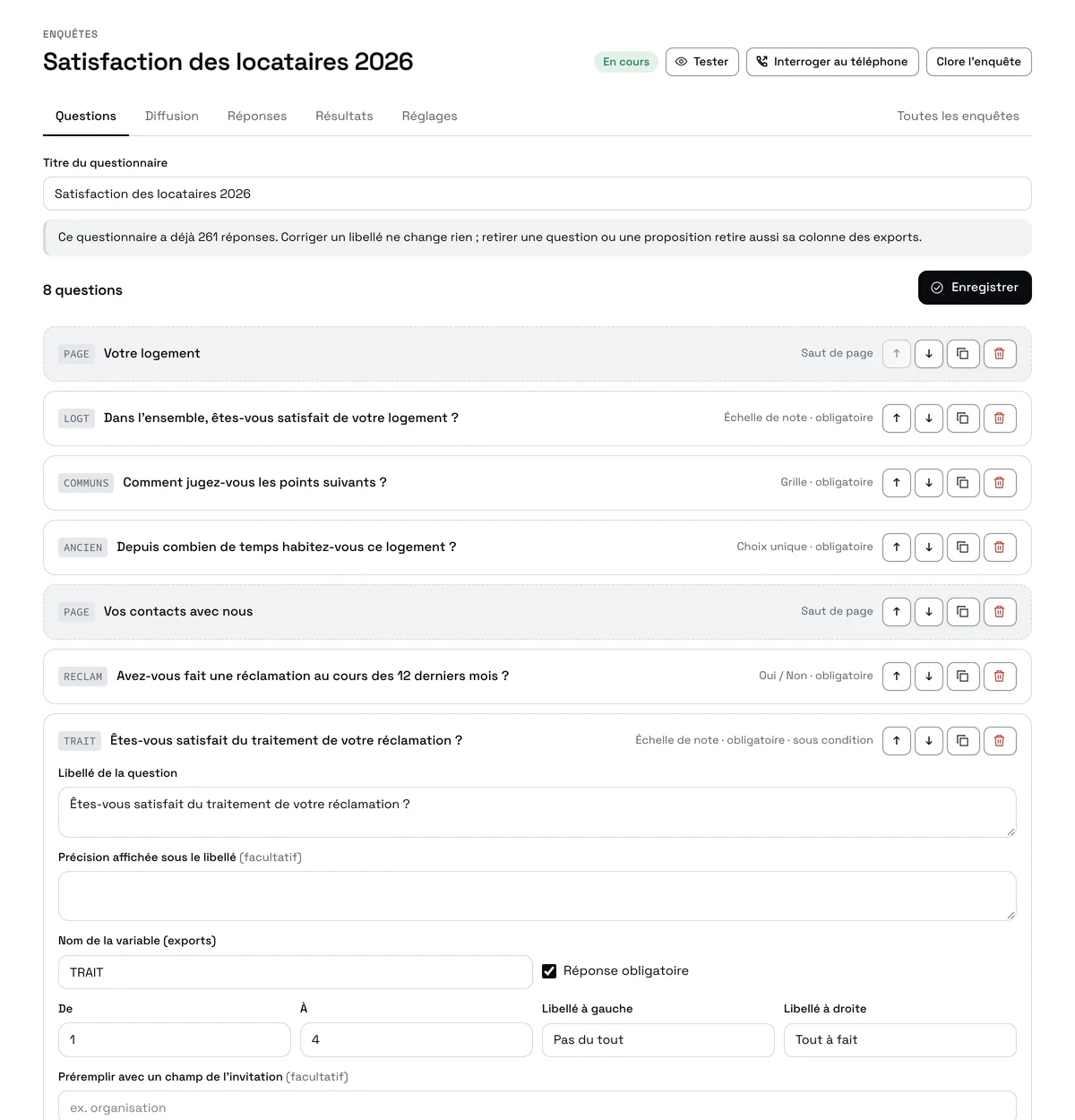
A question or a page only appears when an earlier answer calls for it; the server checks everything again before saving.
Respondents fill in the questionnaire on their phone or computer; those who don't are called by your team, who enter their answers in the same questionnaire. Results update live, and the report is written from the figures.
Start from a template or a blank page. Single or multiple choice, 0-10 scales, grids, numbers with limits, dates, attachments, pages, conditional questions. Every question has its own variable name for exports.
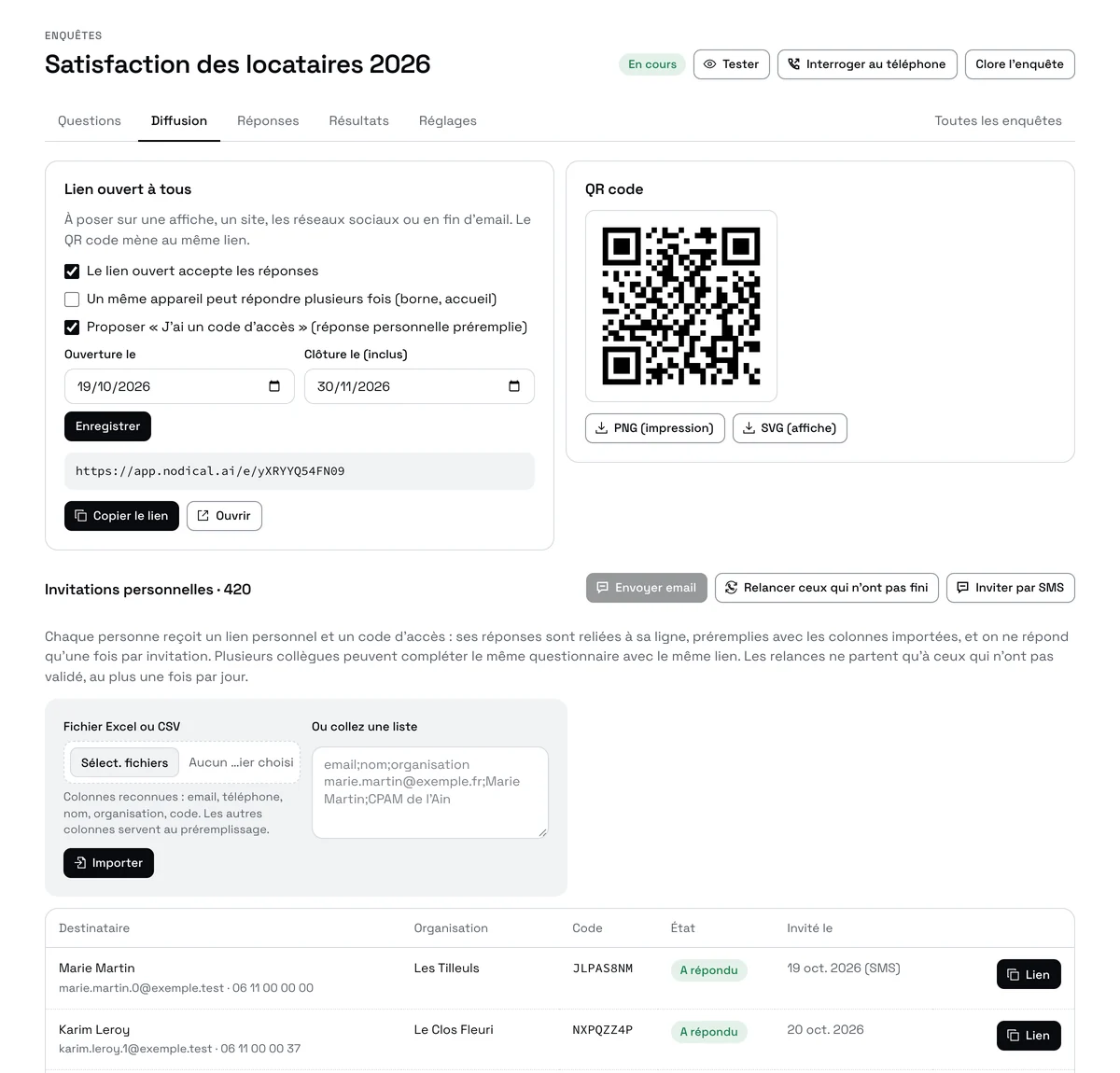
An open link and its QR code for a poster or a website; personal invitations by email or SMS, with an access code and answers prefilled from your file. Reminders only go to those who haven't finished.
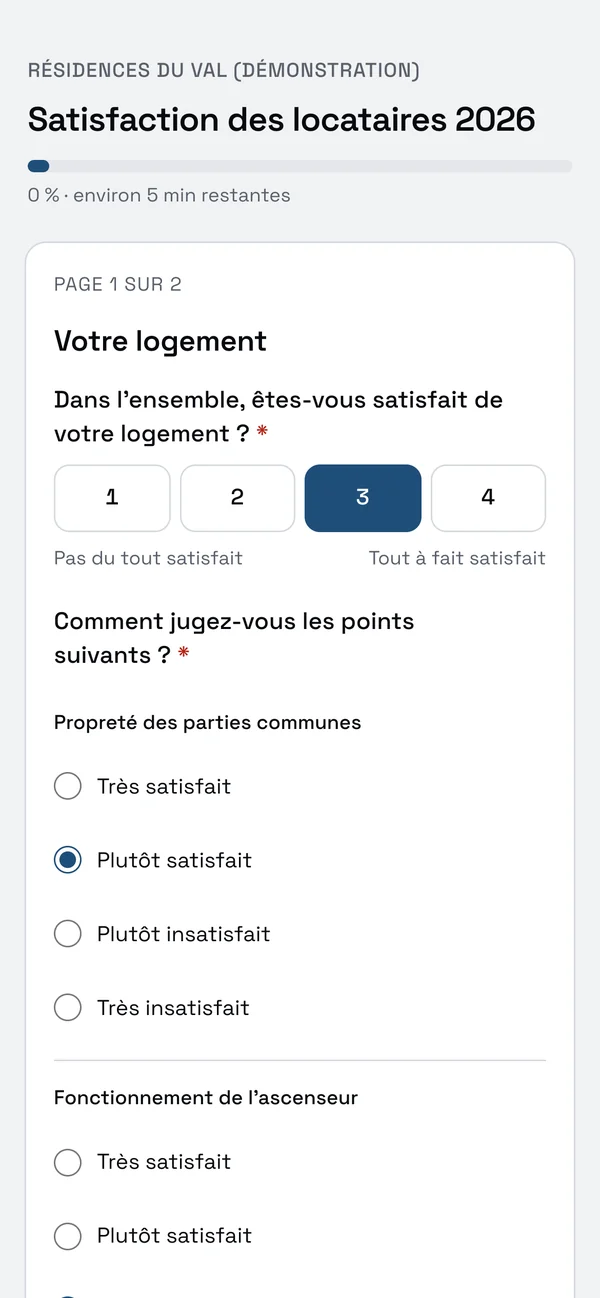
Online: a page that reads well on a phone, a progress bar, the option to stop and resume, or to fill it in as a team with the same link. By phone: a call list of invitees who haven't answered, and the same questionnaire on screen to enter their answers.
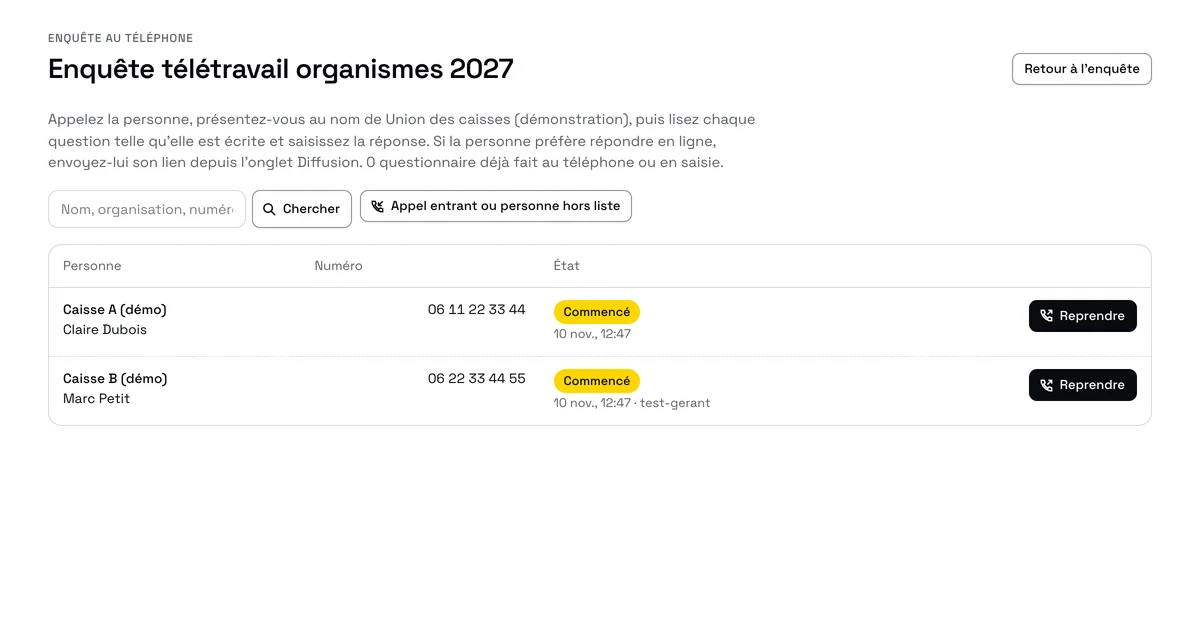
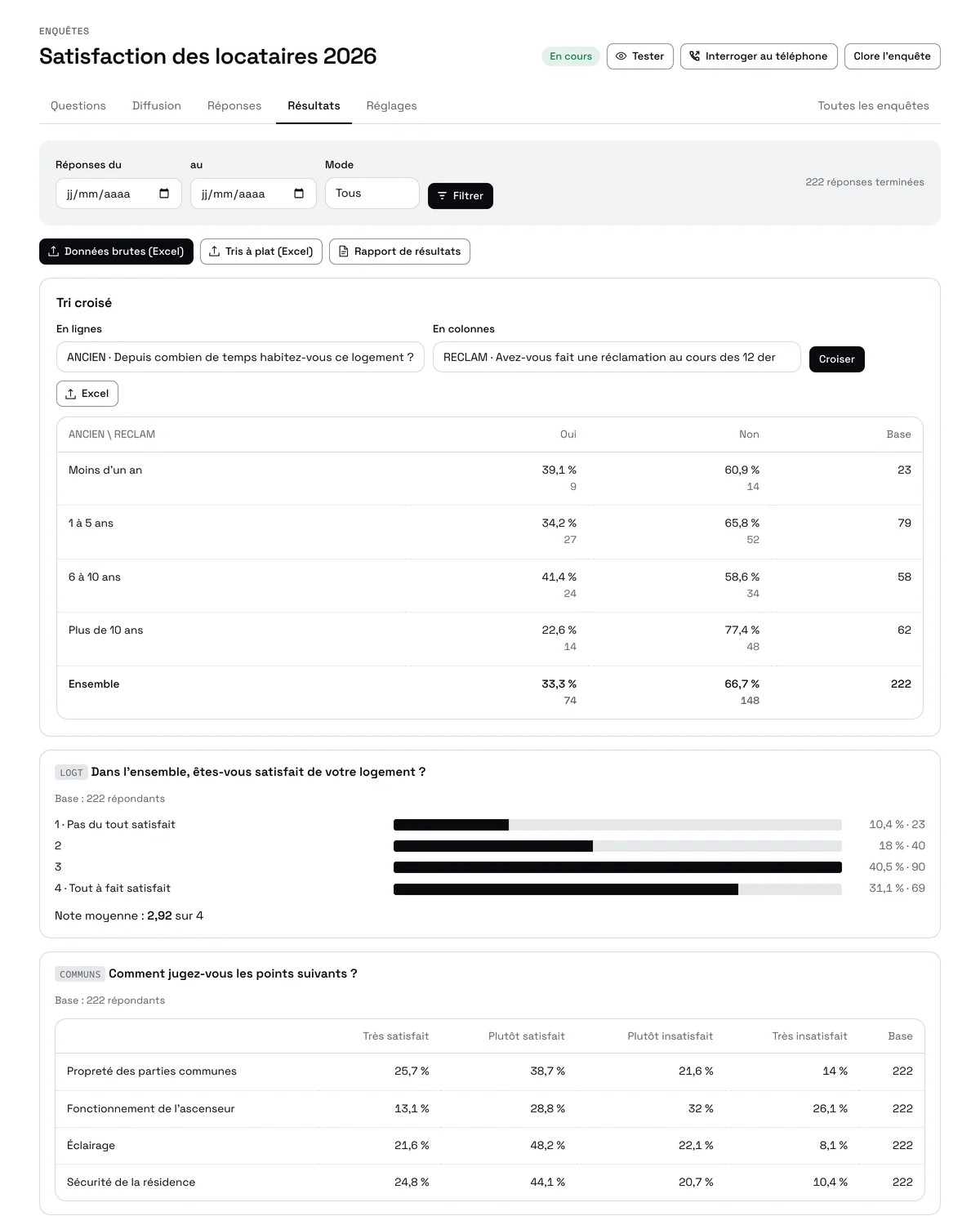
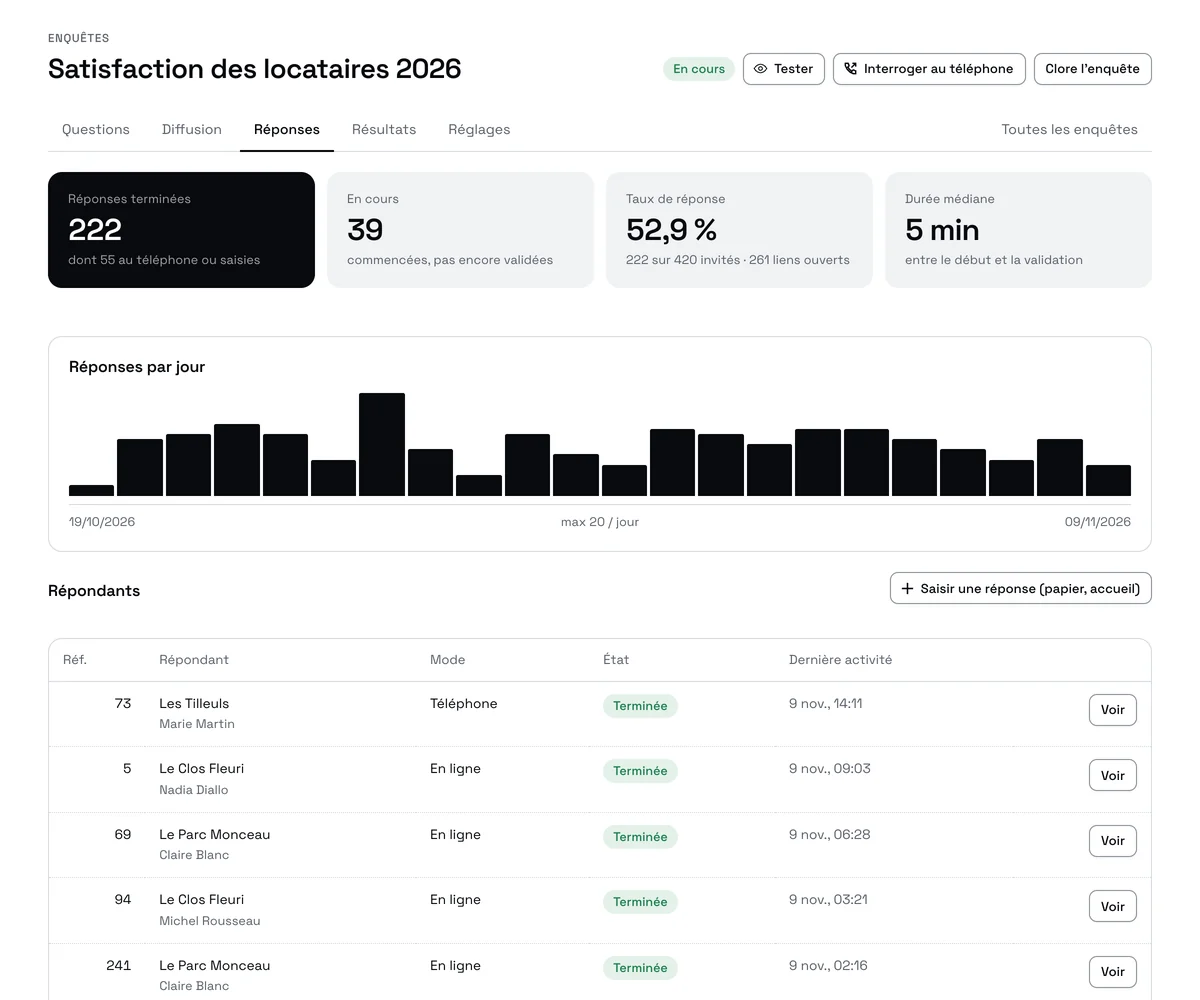
Live tracking (answers per day, response rate, duration), then results question by question: percentages, averages, Net Promoter Score, cross tables, words that recur in open answers. Download the report in Word or print it to PDF; export the data to Excel.
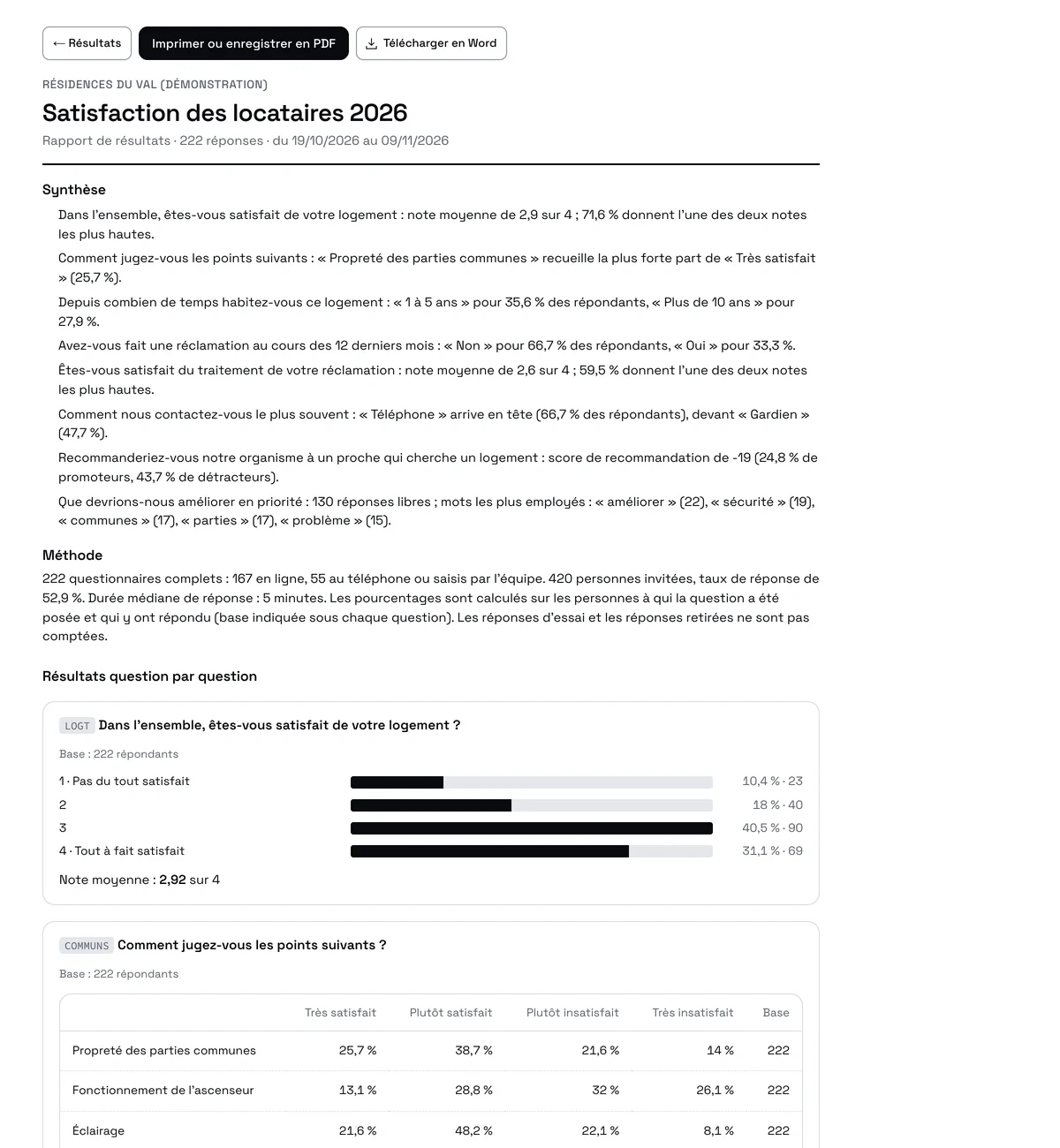
Every sentence of the summary is built from the computed results: the leading answer, the average score, the Net Promoter Score, the most used words. Nothing is rounded by hand, nothing is made up. Edit the report in Word if you wish.
A question or a page only appears when an earlier answer calls for it; the server checks everything again before saving.
A headcount out of range, an inconsistent date: the value is refused with a clear message, before sending.
An organisation fills in the questionnaire in several sittings, by several people, with the same link; one answer per invitation.
Columns from your file (organisation, headcount, last year's answer) are suggested by default; the respondent corrects them.
A yearly survey is duplicated with its invitees and their previous answers.
Respondents review their answers and print or save them as PDF before and after sending.
Test the questionnaire as often as needed: test answers never count in the results.
In anonymous mode, no export or result links an answer to a person.
Raw data (one row per respondent, one column per variable, with the variable dictionary), frequency tables, cross tables.
Your organisation's name and colour, your welcome text, your data protection notice.
Answers collected by your team and those received online are read together, with a filter by collection mode.
Answers are stored in Nodical's database, hosted in Europe, and are only used for your survey.
Overall score, strengths, areas for improvement, recommendation.
Long questionnaires, filled in by several people, with attachments and prefilled values.
A link by SMS or email after the conversation with your team.
A sample interviewed by phone, the rest online, results in one place.
No. They open a link or scan a QR code. With a personal invitation, they can also type their access code.
Your team, from their Nodical workspace: the call list and the questionnaire are on screen. We can also provide our own callers, on quotation.
Yes: correcting a label changes nothing in answers already received; removing a question also removes its export column. The screen reminds you.
No: recurring words and phrases are counted, answer by answer. Every answer stays readable and exportable.
We set it up with you in your workspace: questionnaire, invitees, sharing, and the first report.